

A website enquiry is useful only if someone can find it, understand it and respond. Connecting a form to customer records can help, but a success message on screen does not prove the enquiry reached the right record or person.
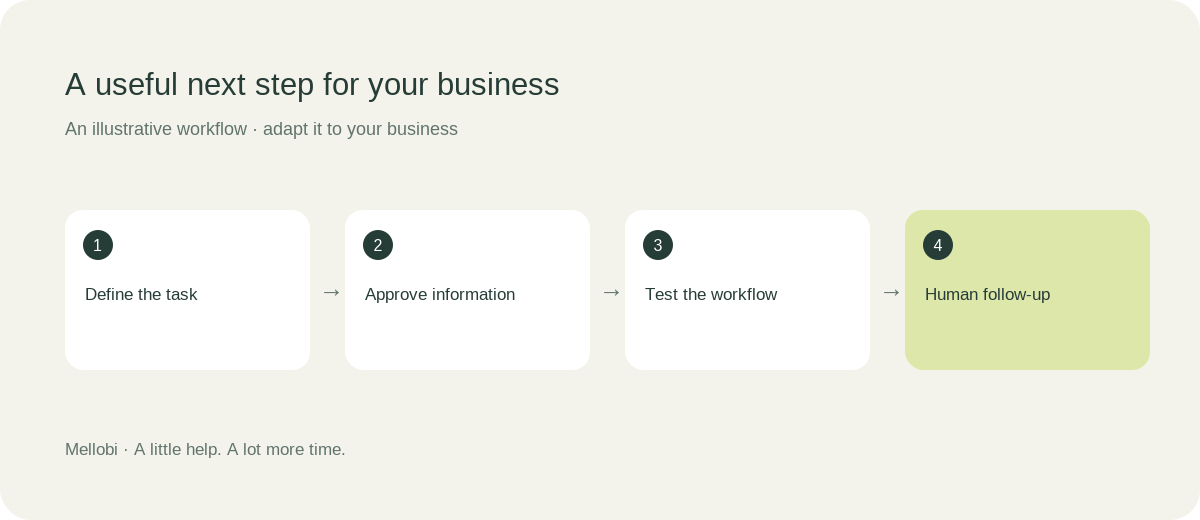
Illustrative process; agree the steps and human confirmation for your own business.
Map the journey before connecting tools
A practical enquiry journey looks like this:
- A visitor completes the form and sees an accurate acknowledgement.
- The information reaches your customer system or a safe place for review.
- The process checks for an existing record, then attaches the enquiry, creates a record or flags an uncertain match.
- A named person or monitored team list takes responsibility for follow-up.
- Staff review the message, respond and update its status.
Your form may send information directly to the receiving system. Alternatively, you may need a separately configured connection: software or an agreed custom workflow that translates the fields and passes them on. Check what your tools support; do not assume a connection searches for existing records or alerts staff to failures.
Write down where each step happens, including manual work, and who owns it. An enquiry in an inbox nobody checks is not a completed handover.
Map fields and protect existing history
Collect the information staff need to answer: perhaps a name, a way to respond, a message and an enquiry type. Make a field compulsory only for a practical reason. If visitors can choose email or phone, check whether the form can accept either without requiring both.
This illustrative field map should be adapted to your systems:
| Website field | Destination | Format and missing-value decision |
|---|---|---|
| Name | Customer name | Text; request it if staff need it |
| Customer email | Email format; match only under agreed rules | |
| Phone number | Customer phone | Text; an optional blank must not erase an existing number |
| Message | Dated enquiry note | Text; keep the original for staff to read |
| Enquiry type | Enquiry category | Agreed list; review missing or unfamiliar values |
| Submission date | Enquiry created date | Date and time supplied by the form or connection |
Where possible, keep customer details separate from individual enquiries. A returning customer may send several genuine messages; each should add to the history rather than replace the last. If there is only one notes field, agree how to append a dated entry and test that older notes remain intact.
Decide which existing values a form may update. A new phone number could be a correction or a typing mistake. When uncertain, preserve the established value and let a person review the new one.
Make privacy and marketing choices clear
Give visitors accessible privacy information when they provide their details, with a clear route from the form to the full notice. Explain why you collect the information. The ICO’s guidance on when to provide privacy information says privacy information should be provided when personal information is collected directly from an individual. The ICO notes that this guidance is under review, so check it again when setting up or changing the form.
Answering a question is different from sending future promotions. Decide the appropriate lawful basis for each use and check the electronic marketing rules for the intended channel. Do not assume an enquiry gives permission for marketing. The ICO’s direct marketing planning guidance explains the need to consider data protection and, where relevant, electronic communications rules.
If you ask for marketing consent, make the choice clear and optional. Record the choice, wording shown and date where the marketing process can use them. An unchecked option must not become a positive choice during transfer. Agree how a later withdrawal or objection reaches the relevant tools and who checks it.
Avoid inviting sensitive information in free text unless genuinely needed. Decide who can see enquiries, how long they are kept and how they will be deleted. If circumstances are unclear, consult current ICO guidance or an appropriate adviser.
Match records without losing enquiries
Agree a matching order using identifiers your system actually holds. An exact email address or known customer ID may be a useful starting point, but check how your connection searches. A matching value is a candidate, not proof of identity: people can share an email address or change a phone number. Avoid automatically merging records on name alone.
Plan for three outcomes:
- One sufficiently clear match: attach the enquiry to the existing record, preserving its history.
- No match: create a record if appropriate, then attach the enquiry.
- Multiple or uncertain matches: hold the enquiry for a person to review and link; do not automatically merge records.
Use a submission reference if your tools support it: a unique identifier for each form submission that stays unchanged when it is retried. This helps distinguish a retry from a separate, genuine message. Agree how a mistaken link or duplicate can be corrected safely.
Route the work and keep a human in charge
Use simple rules staff can explain, such as enquiry type, location or existing account owner. Give each enquiry a named owner or monitored team list, enough information to respond and a clear next action. A short set of statuses, such as new, assigned, contacted and closed, can help colleagues see what has happened.
A fallback queue is a shared list for items the normal process cannot place or assign. For example, a named duty administrator could check it at agreed times, investigate missing categories and assign each item. Agree cover for absence and a route to an appropriate person for complicated or sensitive requests.
Illustrative example: A property team receives a form asking about a repair and a possible viewing. The connection saves the original message with a submission reference. It finds two records with the same email address, so it does not attach the enquiry automatically. The item goes to a shared review list. The duty administrator confirms the right record using the information available and links the enquiry without merging the records.
Decide whether AI adds anything
A form connection does not need AI. If visitors select a clear enquiry type and fixed routing rules work well, those rules may be simpler to test and maintain. AI may be worth exploring when messages contain several requests or visitors describe the same need in many different ways.
Conditional example: Suppose the property team wants a proposed AI step to suggest a category. It could define permitted labels such as maintenance, lettings and other, rather than allowing the tool to invent destinations. Send only information needed for that task, subject to privacy and supplier checks. Keep the original message alongside the suggested label so staff can read what the visitor actually wrote.
If the chosen tools support it, configure the process so staff can correct a label and uncertain or mixed messages go to human review rather than being silently routed. Agree what counts as uncertain and test examples with the team. A plausible-sounding summary or category can still be wrong; it should not confirm an appointment or replace a person’s judgement. This is an implementation idea, not a claim that Mellobi already provides these AI capabilities.
Before using an AI service, ask where information and outputs are stored, who can access them, whether other suppliers are involved and how long they are retained. Check whether sending the information is appropriate, particularly if visitors may include sensitive details. Keep a way to pause the step without losing incoming enquiries.
Test delivery, acknowledgement and handover
Use agreed test records and follow each message through the whole journey. A successful form submission and successful delivery to the customer system are separate events. Decide which event the acknowledgement can honestly confirm.
Before launch, test:
- Normal paths: a new person, a clear returning-customer match and a second genuine enquiry. Check the destination, history, owner and status.
- Uncertain paths: shared contact details, multiple matches, missing optional information and a missing required field. Check that staff can review the item without an automatic merge or an erased value.
- Retries and failure: simulate an unavailable destination. Check the visitor-facing message, safe storage or alternative contact route, staff alert and retry. Confirm the submission reference stays the same on retry and does not create an unwanted copy.
- Choices and ownership: test an unchecked marketing option and a later withdrawal. Name the people who monitor failures, review uncertain matches and unassigned work, and cover absences. Confirm they can access and act on test items.
Do not assume an alert works until someone has received and acted on a test alert. Repeat relevant tests after significant changes to the form, connection or customer system.
Agree responsibilities before relying on a connection
Ask which fields and record types the proposed connection can read and write, whether it searches before creating a record, and how it handles multiple matches and retries. Check plan, access and configuration requirements rather than assuming a feature is included.
Agree permissions, storage, retention and support for each part. Decide who changes routing rules and how the connection can be paused or removed. Write down the scope, manual steps and ongoing responsibilities before relying on it for real enquiries.
Why Mellobi
Mellobi offers practical digital help for owner-run businesses, including starting points for website enquiries. Scope, setup and ongoing care are agreed before activation, and more complicated requests are passed to an agreed human contact.
The team can discuss connecting existing tools and a separately scoped custom workflow. Ask for an example relevant to your current process or contact the team.