

An AI assistant needs reliable information for a defined job, limits on what it may do and a route to a person when it cannot help. Before buying a tool or connecting it to your business, decide who will prepare the information, keep it current and check the answers.
This preparation applies whether customers speak to an assistant on the phone or use one on your website. Start small, test with staff and resolve serious failures before customers use it.
Start with one job, not every document
Choose one recurring task for a first pilot: answering routine service questions or collecting website enquiries, for example. Write down what the assistant may answer, what details it may collect and which decisions stay with a person. This gives you a manageable list of information to prepare rather than a reason to upload every file you own.
Illustrative example: a salon might start with service descriptions and appointment requests. The assistant could take a request, but the team would confirm the appointment and handle complaints. It should not imply that a requested time is available just because a customer has asked for it.
You can then compare answers with approved facts and test the handover route before considering a wider role. An assistant may still make mistakes when its source material is correct, so preparation and testing both matter.
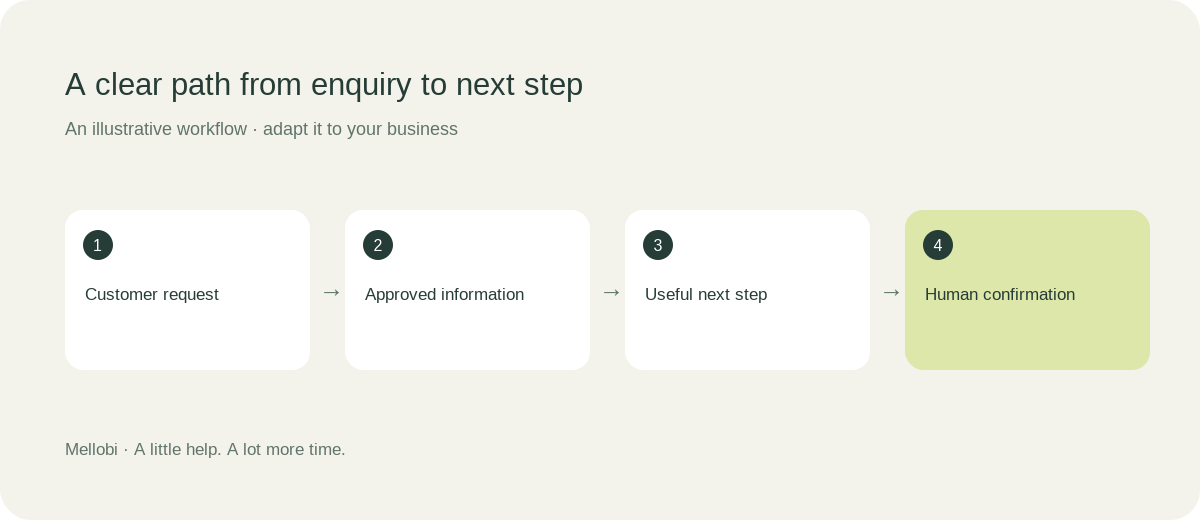
Illustrative process; agree the steps and human confirmation for your own business.
Build a usable information checklist
Gather only items relevant to the chosen task. For an enquiries assistant, consider:
- Business essentials: trading name, locations, contact routes, opening hours, service areas and relevant accessibility information. Include dated exceptions.
- Products and services: plain-English descriptions, coverage limits and approved prices or ranges. If a quote depends on an inspection, say so rather than presenting a misleading fixed price.
- Enquiries and bookings: details to collect, where they go, who follows up and what the customer should expect. State that a booking request is not a confirmed appointment.
- Common questions: approved answers, relevant cancellation or returns information and the route for complaints.
- Boundaries: information that must not be disclosed and decisions the assistant must not make, such as approving a policy exception or settling a complaint.
For each item, record the approved answer, its source, an owner, the last checked date, the next review date and any expiry or exception. A shared document or spreadsheet is a reasonable starting point if responsible people can access it and know which version is approved.
The Government Data Quality Framework guidance recommends identifying data important to the work and targeting quality checks accordingly. Here, that means checking information needed for the pilot first, rather than cleaning every business record at once.
Resolve contradictions and gaps
Compare relevant website pages, booking pages, menus, internal notes and staff knowledge. If sources disagree, ask the responsible person to approve the correct answer, update the agreed source and archive or clearly label obsolete copies. Check public pages too: customers should not receive conflicting answers from the website and the assistant.
Write short, specific statements with enough context to use them safely. For a tradesperson, distinguish the usual call-out area from places covered only by prior agreement. Avoid shorthand that only one member of staff understands.
Mark a gap as unknown, not as a best guess. Specify what should happen when an answer is missing, uncertain or outside the approved material: for example, offer the business contact route rather than inventing a price.
Government guidance on preparing datasets for AI is written for public-sector datasets, but its emphasis on quality, context and ongoing management is useful here. A tidy file format alone does not establish that information is suitable for a particular task.
Give information an update owner
Assign an accountable owner to each information group and name a deputy for absences. The owner approves changes; a different person may update the document or assistant. One person may own several groups, but responsibility should be explicit.
Set review dates and change triggers. A new price, temporary closure, withdrawn service or revised complaints route should prompt an update without waiting for the next review. Tell staff how to report an error and who can approve an urgent correction.
Keep a change log: what changed and why, who approved it, when the source was updated and when the assistant’s answer was checked. Ask the provider how changes reach the assistant and how long that takes; do not assume a connected source refreshes automatically.
After an update, ask a relevant question and compare the answer with the approved source. Remove or disable superseded material where possible. If a correction cannot be made promptly, route the affected question to a person or pause that part of the pilot. Record the temporary arrangement and check the fix before restoring the answer.
Decide when and how a person takes over
Define handover triggers before launch. These could include complaints, uncertain answers, sensitive matters, unusual requests and a request to speak to a manager. Where human judgement is needed, the assistant should not present its response as professional advice or a final decision.
For each trigger, record the contact or team, their working hours, a backup route and the information they need to continue. Agree what the customer should be told if nobody is available. Test the route rather than assuming a message or transfer will reach its destination.
Use realistic wording. An assistant can say that it has taken a request, but should not promise a response time unless the business has established one it can support. Likewise, “I’ve passed on your appointment request” is different from “Your appointment is confirmed”. Make that distinction clear in voice and website conversations.
Check privacy and connections before sharing
Separate public business facts from personal or confidential information. Provide only the personal data needed for the task; do not upload customer lists, staff records or historic conversations simply because they are available. Decide what an enquiry genuinely needs and avoid collecting extra details by default.
Ask a prospective provider what data it collects, where it is stored, who can access it, whether subcontractors use it, how long it is retained and how it can be corrected or deleted. Ask whether data may be used to improve or train systems, and check the answers against your intended use.
Before connecting an inbox, booking system or other tool, establish what the connection can read or change, who authorises it, how access can be removed and what happens if it fails. A connection that can read information is not necessarily authorised to make changes. Agree a fallback, such as taking a request for a person to handle, and test it where practical.
Consider your relevant data protection obligations and seek appropriate advice where needed. The ICO’s AI security and data-minimisation guidance is under review; check its current status and the latest guidance when making your assessment.
Ask about the full cost and exit
Before committing to any provider, ask for terms in writing and check them against your planned pilot:
- Charges: What are the setup and ongoing charges? Are support, changes, connections or additional users charged separately?
- Usage: What limits apply to calls, conversations or other activity, and what happens if you exceed them?
- Cancellation: What notice, minimum commitment or cancellation charges apply? What happens to connected services when the agreement ends?
- Export: Can you export your information and relevant conversation records, in what format, and for how long after cancellation? What is deleted, and when?
These are questions for any provider, not assumptions about a particular service. Make sure the person approving the purchase understands the ongoing commitment and practical route out.
Run a small pilot and fix what fails
Test with staff first. Use everyday wording, unclear requests, missing answers, out-of-date information and questions outside the agreed scope. For a voice assistant, include background noise, different accents and interruptions where practical. Ask for a person and test what happens when the handover contact is unavailable.
For each test, record the question, expected behaviour, actual response, pass or fail, owner and fix. Check accuracy and clarity, whether handover happened appropriately and whether booking language could be mistaken for confirmation. Review personal information collected during testing against what was genuinely needed.
Investigate the cause: the approved source may be wrong, the assistant may have misused a correct source, a connection may have failed, or the expected answer may itself be incorrect. Fix the cause and repeat the test. If you cannot establish why a serious failure happened, keep the affected function paused while you investigate.
Before customers take part, agree the scope, review date and stop conditions. Serious factual errors, privacy concerns and failed required handovers block customer use. A minor wording issue that does not mislead customers or affect a required action can be logged and corrected without necessarily blocking launch. Assess each issue in context.
Name a pilot owner with authority to pause the assistant or affected function and approve restarting only after the fix and relevant retest. Agree who covers during absences. At the review, the owner can decide whether to repeat, change or expand the pilot.
Why Mellobi
Mellobi offers small, practical digital help for owner-run businesses, with scope, setup and ongoing care agreed before activation. Starting points include help with business calls and website enquiries; more complicated requests are passed to an agreed human contact.
Booking requests require confirmation by the business or its existing booking system. The team can also discuss connecting existing tools and a separately scoped custom workflow. If you are considering a first task, ask for an example or contact the team.