

Can AI take appointment requests without creating booking confusion?
Yes. AI can help collect and organise appointment requests, provided customers understand the difference between asking for a time and securing it. A requested time might not be available, and a gap in a diary does not necessarily mean the business can offer it.
Think of the process in three stages:
- Capture: record what the customer wants and how to contact them.
- Check: review availability and the business’s working rules.
- Confirm: the business or its existing booking system confirms the appointment.
Until the final step, say “We’ve received your request”, not “You’re booked in”. This gives customers a clear expectation and helps staff see what still needs attention.
Start with the way you already handle enquiries and diaries. If you use a paper diary or need to assess every job, a request-and-callback process may be more useful than connecting a calendar immediately. You can consider a connection later, once the handover works well.
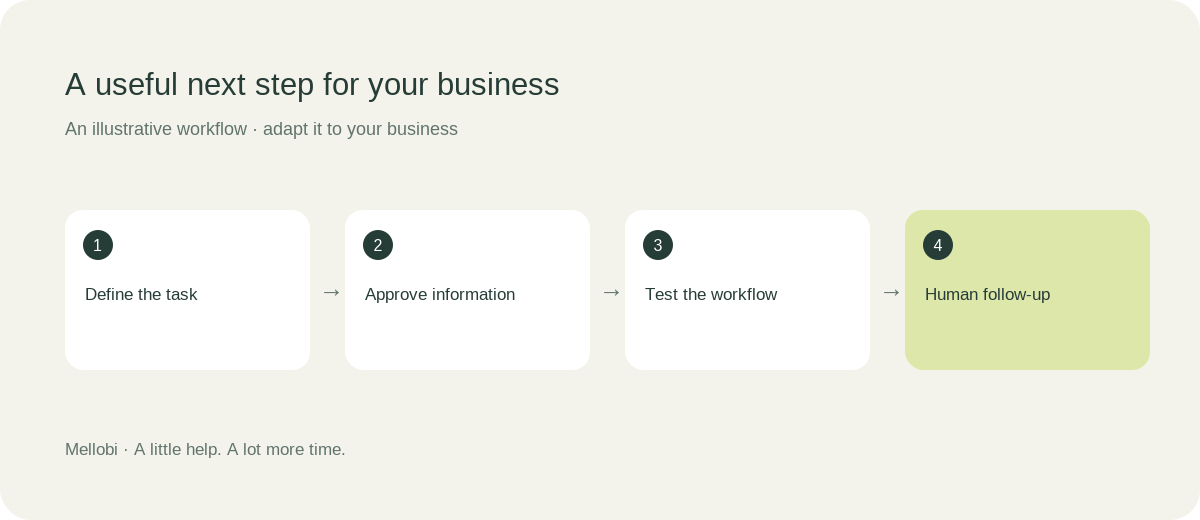
Illustrative process; agree the steps and human confirmation for your own business.
Stage one: capture the request
A voice or website enquiry process could ask for the customer’s name, a suitable contact method, the service they need and their preferred dates or times. Ask for a location when it matters, such as for a trades visit. A short description can help the team understand the request.
Keep questions focused on what staff need to take the next step. For a voice request, read back contact details and the preferred time where practical, so the caller can correct them. On a website, provide a review step before submission. Offer a way to speak to a person when someone cannot use the process or needs to explain a more complicated request.
For example, the customer might hear:
“I’ve recorded your request for Tuesday afternoon. The team will check it and contact you; the appointment is not confirmed yet.”
Do not promise a response within a particular period unless the business has agreed to that commitment and can manage it. If a request arrives outside opening hours, avoid implying that someone is reviewing it immediately.
Each request needs a visible place in the team’s workflow. Simple statuses such as new, awaiting review, contacted and confirmed can show what remains open. Name someone to check the queue, agree how often they will do so and arrange cover for absence.
An AI-generated summary can miss or misunderstand a detail. Where appropriate, keep the original enquiry or an agreed record available so staff can check and correct the summary. Decide who can amend a request and how a correction reaches the person handling it.
Stage two: check availability and working rules
Map where availability actually lives. It might be in a booking system, several staff calendars, a paper diary or a combination. Identify who updates each source and whether it reflects current working hours, leave and other commitments.
Then consider what a blank slot might not show. Depending on the business, checks may include:
- Service length and preparation or cleaning time.
- Travel between jobs.
- Staff qualifications and working patterns.
- Room or equipment availability.
- Capacity for group appointments.
For a trades business, a visit may depend on location and travel. A salon may need to match the service to a suitable staff member and allow preparation time. A small professional firm may need to check who is appropriate to handle an enquiry. These are examples to adapt, not universal rules.
A calendar connection needs its own design; collecting a request does not automatically check a diary. For a concise technical example, Google documents a free/busy query separately from creating an event. Event creation also has notification settings. Checking busy periods, creating an event and notifying a customer are separate actions to specify and test. These references do not establish that Mellobi offers a Google Calendar integration.
Even a successful availability check may not cover staff suitability, travel or preparation. Two customers could also request the same time between a check and confirmation. If the diary is incomplete, access is unavailable, the time zone is unclear or the connection returns an error, send the request for human review rather than treating the apparent gap as available.
Stage three: confirm through the agreed process
Choose the main booking record: the place the team relies on to know whether an appointment exists. It could be an existing booking system or a confirmed entry in a team diary. Document who or what can create and change it, and which checks must happen first.
A calendar entry alone is not proof that every business requirement has been met. If you are considering a booking-system connection, ask whether the proposed workflow applies the service, staff, capacity and preparation rules you need. Do not assume that information appearing in a record means those rules were checked.
When the business or its existing booking system confirms an appointment, ensure the record and customer communication contain the necessary details: date, time, service, location or meeting method, and any relevant reference. Decide who sends the confirmation and by which channel. Check the actual customer message during testing rather than assuming a record automatically produces the right notification.
If creating a record fails, the response is uncertain or a request may be a duplicate, do not retry blindly. A team member should inspect the main booking record and resolve the status before taking further action. Also decide how customers request changes or cancellations, who updates the record and how a revised appointment is communicated.
Make the human handover useful
People should handle requests that are unusual, ambiguous or outside the agreed rules. Examples include complex jobs, unclear service choices, complaints and situations needing individual judgement. Agree how urgent or emergency enquiries are directed to a person or an appropriate service, rather than leaving them in the ordinary appointment queue.
A useful handover contains the customer’s contact details, preferred times, relevant notes, current status and the reason a person needs to review it. Send it to an agreed contact and name a backup. The team should know whether the customer is waiting for a call, has been offered an alternative or has asked for something that cannot yet be assessed.
Give customers an honest next step, such as:
“A member of the team needs to review this before we can offer a time.”
Handover is not just a message being sent: someone needs to receive it, take responsibility and update the request. Agree what staff should do if they cannot reach the customer or if the person normally responsible is away.
An illustrative salon request
A customer calls a small salon and asks for a particular service on Thursday morning. The voice process records their name, contact number, service and preferred time, then repeats the details so they can make corrections. The request appears in the agreed queue as awaiting review.
A team member checks the current diary, service length and suitable staff. Thursday is not workable, so they contact the customer with an alternative rather than silently changing the request. The customer agrees, and the salon confirms the time through its existing booking process. The team then updates the request status and sends the agreed confirmation.
If the customer cannot be reached, the request stays open for follow-up. This is an illustrative workflow, not a customer case study or a claim about a live Mellobi feature.
Protect customer information
Decide what information the team needs, where it will be stored, who can see it and how long it will be kept. Establish whether calls will be recorded or transcribed, how corrections and deletion will be handled, and what customers will be told about the use of their information.
The ICO’s data minimisation guidance says personal data should be adequate, relevant and limited to what is necessary; the ICO notes that this guidance is under review. Avoid collecting health or other special category information unless necessary. Before processing it, identify an Article 6 lawful basis, an applicable Article 9 condition and any additional requirements. See the ICO’s special category data guidance. Passing an enquiry to a person does not remove those obligations.
Test before relying on the process
Start with a small set of services and test with staff before opening the process to customers. Try a straightforward request, unclear speech, an incomplete form, an unavailable time and two requests for the same slot. Also test a calendar error, a failed notification, a cancellation and an escalation when the named contact is absent.
Check both sides of the handover: what the customer hears or sees, and what the team receives. Compare requests with the main booking record, looking for missing details, duplicates, incorrect summaries and items left waiting. Assign someone to investigate problems instead of assuming every request arrived safely.
Agree who will monitor the process and update it when working hours, staff, services or booking rules change. Expand only when the team is comfortable that the customer wording and handover work as intended.
Before agreeing to a tool or connection, confirm its scope, permissions, support arrangements, setup and ongoing charges, usage limits and cancellation terms. Establish what happens during an outage and how outstanding requests can be exported if you leave. Ask for answers in writing where they affect the scope or ongoing operation.
Why Mellobi
Mellobi offers small, practical digital help for owner-run businesses. Starting points include help with business calls and website enquiries, with more complicated requests passed to an agreed human contact.
Booking requests require confirmation by the business or its existing booking system. Scope, setup and ongoing care are agreed before activation. The team can discuss connecting existing tools or a separately scoped custom workflow; these should not be assumed to be included as live features.
To explore what a request-and-handover process might look like for your business, ask our team for an example.