
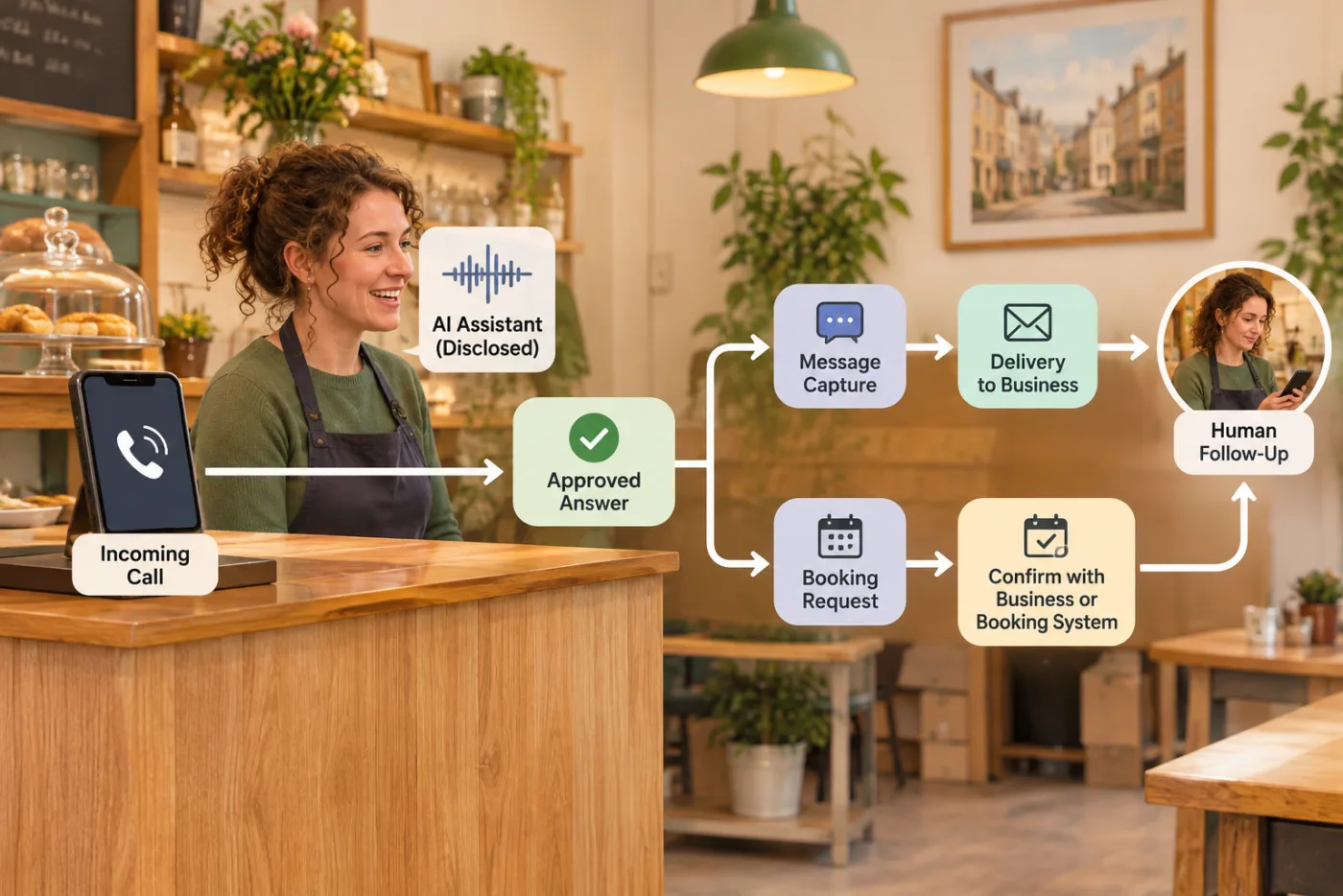
A little help when the phone rings at the wrong moment
You are helping a customer, finishing a job or keeping a busy café moving. The phone rings, but nobody can pick it up. The caller might only need your opening hours. They might also need a conversation that should wait for someone who knows the business.
An AI voice helper can handle an agreed part of that first conversation: answering from approved information, taking a message or offering a route to a person. What it can actually do depends on the chosen service and setup. Start with one useful job, make the limits clear and check what happens after the call.
Here is a practical way to plan that first step without making every enquiry an automated process.
Follow one call from hello to the next step
First, decide when calls should reach the helper. That might be when your line is busy or outside your usual hours. Check the arrangement against your existing number, voicemail and opening patterns before changing customer calls.
Use a simple, honest introduction. For example: “Hello, you’re speaking to our automated assistant. I can answer a few questions or take a message for the team.” Adapt that wording to the help your setup actually provides. Explain how to ask for a person, where that option is available.
An illustrative salon example: a caller asks when you open. The helper gives the hours you have approved. The caller then asks for an appointment. The helper collects an appointment request and explains who will confirm it.
A request is not a confirmed booking. A preferred time should only become an appointment when your business or its existing booking system has confirmed it. Do not promise live availability unless the connected setup can actually check it.
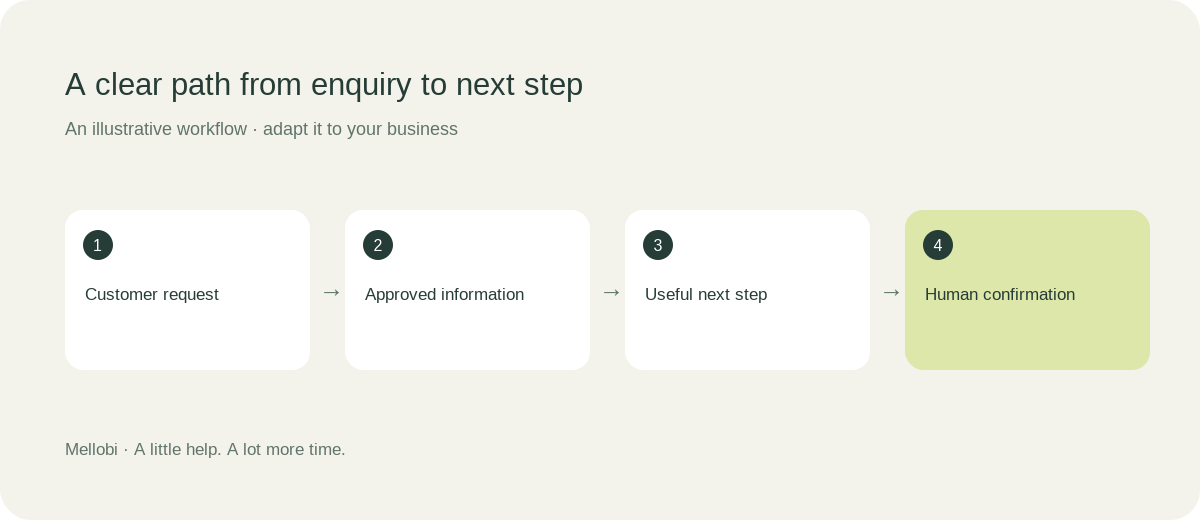
Illustrative process. Agree the steps and human confirmation for your business.
Give the helper answers your team can maintain
Start with questions you hear regularly: opening hours, location, the services you offer and how someone can leave a message. Keep the wording short enough to follow over the phone. A spoken answer needs to make sense without a screen.
For each answer, record who owns it, when it was checked and what might change. Bank holiday hours are a useful example: someone needs to update the answer beforehand and put it back afterwards. If nobody can keep an answer accurate, pass that question to the team instead.
Write down the boundaries as well. A quote might need a site visit. A complaint might need an owner's decision. An unfamiliar request might need a clarifying question. The helper should have a useful response for those moments, rather than fill the gap with a guess.
OpenAI's voice prompting guidance describes setting responsibilities, decision points and limits. For a small business, begin with a short, readable set of instructions. Test those instructions in conversation; writing a rule does not prove the helper will follow it every time.
Make the message useful for the person receiving it
Agree what your team needs to follow up. That will often be a name, a contact number, a brief reason for calling and a timing preference where relevant. Collect what the task needs, rather than everything that might be useful later.
Ask the caller to repeat unclear details and read back important names or numbers. If they correct something, check that the corrected version reaches the final message. Test a few awkward names and spoken numbers before relying on the process.
Keep these three outcomes separate:
- Recorded: the information has been captured successfully.
- Delivered: it has reached the intended destination, where that delivery is supported and verified.
- Followed up: someone has reviewed it or taken the next action.
“I've recorded your request” should only follow successful capture. It does not mean the team has received or read it. Avoid promising a callback time unless your business has agreed a realistic commitment it can meet.
Name the person who checks the messages, where they check them and how completed follow-up is marked. A tidy message is helpful only if somebody knows it is waiting.
Make it easy to reach a person
Agree when the helper should stop trying to answer. Useful triggers include a caller asking for a person, a question outside the approved information, repeated misunderstanding or a matter reserved for your team.
A live transfer and a callback request are different arrangements. A transfer connects the caller during the conversation, if configured and available. A callback request records information for later attention. Describe the option you actually offer.
Before launch, agree:
- Who receives a transfer or message, and who covers their absence.
- What callers hear when nobody is available.
- What happens if a message cannot be recorded or delivered.
- Where calls go if the voice service or a connected tool is unavailable.
- Who can pause the arrangement and return to the previous route.
Twilio's voice-handover example shows a configurable route to a person. It illustrates a technical approach, rather than establishing what every service or Mellobi setup includes. Check the arrangement you are buying, including whether any conversation context reaches the person taking over.
Start with a small, clear first process
Look at the calls your team already handles. Choose one repeatable task, such as basic questions and message-taking when the line is busy. Leave unusual requests and decisions with the people who currently handle them.
Write a brief plan: when the helper answers, what it says, which answers it uses, what it records and who takes over. Have the people who answer the phone review it. They will often spot the everyday exceptions that a neat diagram misses.
Discuss connections to calendars, customer records and booking systems separately. Ask what the helper could read, what it could change, what needs human confirmation and how a failed action would appear. A proposed connection should not be described as already live.
Where possible, use a test route before changing every incoming call. Agree who can stop the pilot and who checks its first messages. Keep the first version understandable enough that your team can explain it to a caller.
Test the whole journey, not just the voice
For each test, write down what the caller should hear and what should happen afterwards. Include a routine question, an unfamiliar request, a corrected number, an interruption, a request for a person and an unconfirmed booking request. Safely simulate an unavailable person or connection as well.
Listen to the caller's side, then inspect the resulting message or record. Did the acknowledgement match the completed action? Did the correction survive? If a transfer was offered, did it reach the right place? If a booking was requested, was the outcome described accurately?
OpenAI's voice-agent guidance covers evaluating recognition, timing, interruptions and task completion. Twilio's speech guidance also highlights testing recognition and spoken details in different conditions.
Ask a person to listen for pace and clarity. Repeat relevant tests after changing answers, contacts, routing or connected tools. Give each problem an owner so a failed test becomes a checked correction.
Ask the practical privacy and buying questions
Before collecting caller information, map where it goes. Are recordings or transcripts stored? Who can access them? When are they deleted? What happens when the service ends? Review what callers need to be told and get appropriate advice for your business where needed.
The ICO's AI data-minimisation guidance discusses necessary information and retention. The ICO notes that this guidance is under review, so check the current position when planning your process.
Ask suppliers about setup and ongoing charges, usage allowances, support hours, fault handling and cancellation. Check who can access accounts, what permissions are needed and whether caller information is used to train or improve models. Get unclear answers in writing before connecting customer information or existing tools.
These are questions to work through, rather than assurances that a particular setup meets every legal requirement.
Why Mellobi
Mellobi offers small, practical digital help for owner-run businesses, with scope, setup and ongoing care agreed before activation. Starting points include business calls and website enquiries, with more complicated requests passed to an agreed human contact.
Booking requests need confirmation by your business or its existing booking system. The team can also discuss connections to existing tools and a separately scoped custom workflow.
If you want to see a useful first step for your working day, ask the Mellobi team for an example.